Microsoft has designed Windows 8 to be an operating system to work on almost any device, whether it’s a tablet, laptop or desktop. But can Microsoft really design an OS that is just as functional with a touchscreen as it is with a keyboard and mouse?
The next-generation OS has everything it needs to work on an array of devices. It contains both a desktop interface and a Metro-style interface derived from Windows Phone. It runs both touchscreen apps and traditional desktop apps like Photoshop. It boots in seconds and has greatly improved its impact on memory.
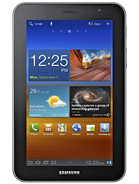
We got our hands on one of the prototype Windows 8 tablets Microsoft gave out to developers at its Build conference in Anaheim, Calif. The device, developed by Samsung, isn’t slacking in the hardware department. The 11.6-inch tablet sports an Intel Core i5 processer, a 1366×768 Super PLS display, a 64 GB SSD, 4GB of RAM and ports for USB, micro SD and HDMI. It also comes with a keyboard, dock and stylus pen.
SEE ALSO: Windows 8: Developer Preview
Let’s be clear: this device will probably never make it to market as it stands. It’s an early prototype for Microsoft’s developer community to test Windows 8, itself a prototype piece of software. Still, it provides a good sense of where Windows is headed, and whether it will be able to compete with the iPad.
Here are our first impressions of the Windows 8 tablet.
Photo Gallery: The Samsung Windows 8 Tablet
Windows 8 Metro Home Screen

This is the Metro interface in Windows 8
Internet Explorer 10 in Windows 8

This is the Metro interface for IE10. Swiping from bottom to top or top to bottom will open up the URL bar and the tab bar.
Charm Bar

IE10 sports a "Charm Bar" on the right side of the screen, where users can share content, search for content, return to the Start menu, and more.
Windows 8 Desktop Interface

The Windows 8 desktop will be familiar to any Windows user. I installed Firefox in this instance of Windows 8.
Windows Store

The Windows Store for apps isn't working quite yet...
Tweet@Rama

Microsoft's Metro Twitter app, Tweet@Rama, is very simple to use.
Windows 8 Side View

The tablet includes a USB port, an SD card slot, a mini HDMI port and more.
Windows 8 Tablet: The Back

One thing we don't like about this Windows 8 tablet is the fact that it has a fan. Then again, this device is designed to be more "robust" than an iPad. It's part of Microsoft's attempt not to compromise with Windows.
Windows 8 Tablet With Dock

The dock includes an ethernet port, a USB port, an HDMI port and a headphone jack.
Windows 8, Dock & Keyboard

Turn your Windows 8 tablet into a fully-functional PC by bringing out the keyboard and mouse.
Using the Stylus

The Samsung tablet comes with a stylus for interacting with the touchscreen. It's rather responsive and useful for applications like this drawing app.
Windows 8 Start Screen

When you boot the Windows 8 tablet from sleep, this is the screen that greets you.
Windows 8 Login

Swipe up or down and the login screen will appear.
Samsung’s Windows 8 Tablet: First Impressions
Here’s how Windows 8 stacks up as a tablet OS:
- Speed: Windows 8 is very fast. While we haven’t had a chance to bog down our build with software that would drop its performance, it’s still impressive that the tablet boots in approximately eight seconds and comes out of sleep in even less time. We have no complaints about the overall performance.
- Aesthetic: The OS itself is quite pleasing. We’ve always liked Metro as an interface, and it works well on the tablet form factor. It stands out amongst the Android and iOS interfaces that dominate the tablet market today.
In case you’re curious, Windows 8 in desktop mode looks almost identical to Windows 7 — there will be no learning curve for the desktop portion of the OS. As for the hardware itself, it’s clean and simple, just the way it should be.
- Usability: Windows 8 depends on a series of touchscreen actions to operate effectively. The entire front of the tablet is a touchscreen, which allows for different touch interactions. Swiping from the far left of the screen to the right pulls up recent apps you’ve launched, and swiping from the far right of the screen to the left in certain apps brings up the Charm Bar, where you can share content with friends.
The touchscreen interface doesn’t feel as intuitive as the iPad, but overall it works well. Once I learned the touch commands, it was easy to navigate. Even the Windows desktop was surprisingly easy to use with touch commands. I was able to use most of the desktop apps I installed with relative ease.
- Metro: The big change to Windows 8 is the addition of the Metro interface. The block style is unique and usable. We can see a lot of people, especially the less tech-savvy, enjoying the straightforward interface with a mouse or a touchscreen. Apps designed in Metro are pleasant to use overall.
- Apps: The Windows 8 Developer Preview comes with a few Microsoft-built apps as demos. They are not apps that will launch with Windows 8, but they give you an idea of what is in store for the platform.
Apps launch fast and are easy to access. The ones I played with were simple, but fun. It’s likely you could run some pretty sophisticated games on a Windows 8 tablet, thanks to Microsoft’s “no compromise” policy.
- Keyboard/Mouse: When you connect a keyboard and a mouse to the tablet (via Bluetooth or USB), the device becomes a laptop with an 11.6-inch screen. Interacting with Metro apps with a mouse wasn’t always as easy or as fun as using my fingers, but it usually did the job.
- Desktop: There’s not much to say about the desktop interface. It’s Windows 7 with some speed and design improvements. If you love Windows 7, you’ll love the Windows 8 desktop. And if you hate it, well, there’s Metro.
Conclusion: Windows 8 feels more complete than a developer preview. It feels like using two operating systems, but the fact that they transition seamlessly into each other helps bridge that gap. The touch controls need some more work, but the basic concepts are solid.
Windows 8 is positioned to become a worthy competitor to iOS on the tablet and Mac OS X on the desktop. Still, we’re concerned about the hardware needed to run it, which is far ahead of the specs of the iPad — and, at this stage, requires a fan. That will make it tough for PC manufacturers to squeeze the OS into a device that can be cheap, simple and small enough to compete with Apple.
We give credit to Microsoft for taking a bold risk with Windows 8. Our guess is that it will pay off in the long run.